Nintendo DS
Jump to navigation
Jump to search
Background: The Nintendo DS is a handheld game system from Nintendo, released in 2004. The successor to the Game Boy Advance, the console had many innovative features, most notably two screens, one being touch-sensitive allowing for new ways to play games. The console became a huge success, being known as one of the highest-selling platforms of all time and winning over Sony'sPlayStation Portableconsole released the following year. An upgraded version known as the Nintendo DSi was released in 2008, adding internet support and a camera. Nintendo followed the DS up with the Nintendo 3DS in 2011, adding higher-quality graphics, more advanced control and a glasses-free 3D display. In turn, Nintendo also released the New Nintendo 3DS in 2014, an upgraded version of the 3DS with better processing power and built-in NFC support.
Nintendo DS
(November 21, 2004-2013)
Logo: On a white background, we see the word "Nintendo" in Bank Gothic MD BT font next to a large "DS" with what looks like a little window in "DS". Some "O"s shoot out all over, and we fade out. When a cartridge is inserted, we see a blue (or black) <embed align="right" allowfullscreen="true" height="178" src="http://wikifoundrytools.com/wiki/closinglogos/widget/youtubevideo/103854b0ecc05a6600d2dca8a722facfda58a011" type="application/x-shockwave-flash" width="218" wmode="transparent"/>Nintendo logo on the bottom.
FX/SFX: The logo flashing.
Music/Sounds: Two echoing synth-piano notes whose echo seems to become a synth string note at the end.
Music/Sounds Variant: If you turn your console on when it's your birthday, the synth piano notes are replaced by a glockenspiel which echoes in the same fashion.
Availability: Seen when you turn on a Nintendo DS or Nintendo DS Lite console.
Editor's Note: None.
_______________________________________________________________________
Nintendo DSi
(November 1, 2008-2013)
Logo: Same as the regular start up screen, but at the end of the animation, a little black circle containing an "i" in Tahoma font pops out.<embed align="right" allowfullscreen="true" height="178" src="http://wikifoundrytools.com/wiki/closinglogos/widget/youtubevideo/6c1ce55495447565f34fc05d045ef3fd5f463100" type="application/x-shockwave-flash" width="216" wmode="transparent"/>
FX/SFX: The logo flashing and the "i" popping out.
Music/Sounds: The standard DS start-up sound, followed by a additional synth note when the "i" appears.
Availability: Seen when you turn on a Nintendo DSi or Nintendo DSi XL console.
Editor's Note: None.
Nintendo DS
(November 21, 2004-2013)
Logo: On a white background, we see the word "Nintendo" in Bank Gothic MD BT font next to a large "DS" with what looks like a little window in "DS". Some "O"s shoot out all over, and we fade out. When a cartridge is inserted, we see a blue (or black) <embed align="right" allowfullscreen="true" height="178" src="http://wikifoundrytools.com/wiki/closinglogos/widget/youtubevideo/103854b0ecc05a6600d2dca8a722facfda58a011" type="application/x-shockwave-flash" width="218" wmode="transparent"/>Nintendo logo on the bottom.
FX/SFX: The logo flashing.
Music/Sounds: Two echoing synth-piano notes whose echo seems to become a synth string note at the end.
Music/Sounds Variant: If you turn your console on when it's your birthday, the synth piano notes are replaced by a glockenspiel which echoes in the same fashion.
Availability: Seen when you turn on a Nintendo DS or Nintendo DS Lite console.
Editor's Note: None.
_______________________________________________________________________
Nintendo DSi
(November 1, 2008-2013)
Logo: Same as the regular start up screen, but at the end of the animation, a little black circle containing an "i" in Tahoma font pops out.<embed align="right" allowfullscreen="true" height="178" src="http://wikifoundrytools.com/wiki/closinglogos/widget/youtubevideo/6c1ce55495447565f34fc05d045ef3fd5f463100" type="application/x-shockwave-flash" width="216" wmode="transparent"/>
FX/SFX: The logo flashing and the "i" popping out.
Music/Sounds: The standard DS start-up sound, followed by a additional synth note when the "i" appears.
Availability: Seen when you turn on a Nintendo DSi or Nintendo DSi XL console.
Editor's Note: None.
_________________________________________________________________
Nintendo 3DS
1st Logo
(February 26, 2011- )
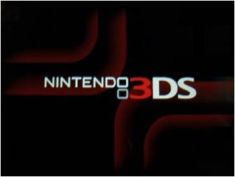
Logo: On a black background, we see the Nintendo 3DS logo in the same font as the Nintendo DS logo, but with a "3" added next to the word "DS".
FX/SFX: None.
Music/Sounds: None.
Availability: Seen when you turn on a brand new 3DS for the first time. It's also seen on the Nintendo 2DS and Nintendo 3DS XL, with their respective logos replacing this one.
Editor's Note: None.
 <embed align="bottom" allowfullscreen="true" height="175" src="http://wikifoundrytools.com/wiki/closinglogos/widget/youtubevideo/749f13b1b23a6cb5304c53527e690bb8b92fc0fa" type="application/x-shockwave-flash" width="214" wmode="transparent"/>
Logo: Same as the 1st logo, except red squares appear and then disappear on the upper left and lower right corners of the top screen and the words "Nintendo" and "DS" being pushed back and a red "3" being filled into the empty space between the words.
Variants:
FX/SFX: The red squares appearing and disappearing, the words being pushed back, the red "3" being filled in the empty space between the pushed back words.
Music/Sounds: None.
Availability: Seen when booting up a Nintendo 3DS game.
Editor's Note: None.
Nintendo 3DS
1st Logo
(February 26, 2011- )
Logo: On a black background, we see the Nintendo 3DS logo in the same font as the Nintendo DS logo, but with a "3" added next to the word "DS".
FX/SFX: None.
Music/Sounds: None.
Availability: Seen when you turn on a brand new 3DS for the first time. It's also seen on the Nintendo 2DS and Nintendo 3DS XL, with their respective logos replacing this one.
Editor's Note: None.
2nd Logo (Alternative)
(February 26, 2011- ) <embed align="bottom" allowfullscreen="true" height="175" src="http://wikifoundrytools.com/wiki/closinglogos/widget/youtubevideo/749f13b1b23a6cb5304c53527e690bb8b92fc0fa" type="application/x-shockwave-flash" width="214" wmode="transparent"/>
Logo: Same as the 1st logo, except red squares appear and then disappear on the upper left and lower right corners of the top screen and the words "Nintendo" and "DS" being pushed back and a red "3" being filled into the empty space between the words.
- On games not produced by Nintendo, the words "Licensed by Nintendo" appear on the bottom screen.
- On games distributed by the company, "Distributed by Nintendo" is shown on the touchscreen.
FX/SFX: The red squares appearing and disappearing, the words being pushed back, the red "3" being filled in the empty space between the pushed back words.
Music/Sounds: None.
Availability: Seen when booting up a Nintendo 3DS game.
Editor's Note: None.
_______________________________________________________________________________
New Nintendo 3DS
(October 11, 2014- )
Logo: On a white background, we see the New Nintendo 3DS logo in the same style as the Nintendo 3DS logo, but with the word "new" above the Nintendo 3DS logo, and in the style of the Amiibo logo.
FX/SFX: None.
Music/Sounds: None.
Availability: Seen when you turn on a brand new New Nintendo 3DS, New Nintendo 3DS XL and New Nintendo 2DS XL, again with their respective logos.
Editor's Note: None.